Compare Ontology Versions
There is a rather useful (but perhaps somewhat hidden) plug-in for Protege that can be used to compare two versions of an OWL file: PROMPT.
The plug-in is installed by default in Protege, but needs to be enabled via Project > Configure > Tab Widgets > PromptTab.
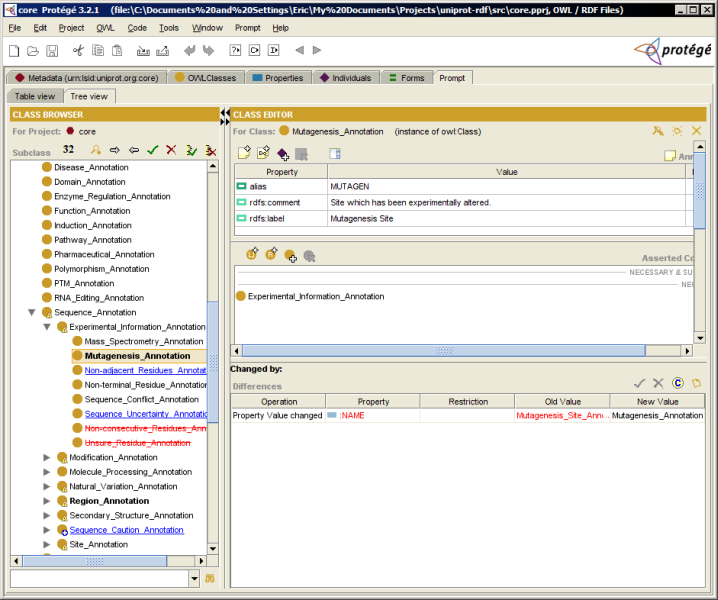
Here’s a screenshot showing differences in the UniProt “core” ontology from release 10.5 to 11.0.
July 23rd, 2007 at 17:08
I can’t get it to work. By default it seems to ask for the core.pprj file, but when I open it I get no changes displayed. If I open another version of the owl file for comparison, the ‘Click here to begin’ does nothing.
July 24th, 2007 at 11:04
If you have two versions of an OWL file, you’ll need to first generate a pprj file for both first, it seems.